



What is Objective-Basic?
Objective-Basic is a powerful BASIC programming language for Mac, which is a simple and intuitive and very easy to learn. It is similar to Visual Basic® and Objective-C®. It is an easy to use, object-oriented, compiled, stable, fast and modern programming language written in C++ and Objective-C®. Its runtime is entirely based on Cocoa®.
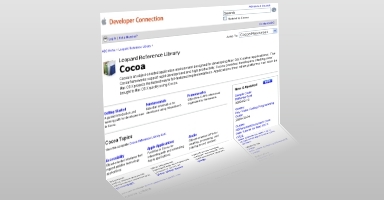
What is Cocoa?
Cocoa® is an object-oriented application environment designed specifically for developing Mac® OS X-only native applications quickly and efficiently. The Cocoa frameworks include a complete set of classes, and for developers starting new Mac OS X-only projects, Cocoa provides the fastest way to full-featured, extensible, and maintainable applications. Apple® recommends that all new applications written for Mac OS X use Cocoa.
iPad, iPhone and iPod support
Objective-Basic does not support the iPad®, iPhone® and iPod® yet, but it is planned to support it like Objective-C does someday. (It uses the same technologies and compiler, so support it will not be too difficult.)
Download Free & Professional
 Objective-Basic for Xcode 4: Release 2012-July-18

All documentation included

|
System Requirements
Objective-Basic requires Mac OS X Lion (10.7 or higher) and Xcode 4 (4.2 or higher) must be installed.
Be open and free to use all of your Mac
Objective-Basic enables you
develop full features modern GUI applications with well known BASIC
syntax in a modern fashion. It comes with truly Objective-C object
orientation and support for Cocoa.
Objective-Basic combines the expressive power of object-oriented
languages like Objective-C with the familiarity and ease of use of
BASIC.
You can develop nearly anything on Mac with the newest technologies available on Mac and you can create very fast and small programs with it. Objective-Basic's IDE is written in Objective-Basic itself. It is designed to be easy and intuitive from the start.
Some of its features are support for syntax colouring, functions list,
auto format and code completion.
Overview
Get the power of Objective-C and Cocoa
- Full featured IDE
- Modern BASIC syntax
- Powerful and easy-usable interface designer
- Extend native Objective-C classes using inheritance
- Create small and fast native executables without runtime dependencies
- Complete documentation
- No vendor lock with Objective-Basic, you always have got your Objective-Basic program in Objective-C as well
- In fact, you have always a Objective-C project for Xcode ready for debugging and compilation
Community
People around the world join Objective-Basic (ObjB) - inspired by the
idea to make software available for everybody: a programming language
that is easy to use, and a development platform that is stable, reliable
and available at a low price or for free for non-commercial
applications.
We communicate by different means, most of them on the Internet. The
following selection enables you to stay up-to-date, extend and explore
your Objective-Basic experience, find new friends, and have fun in
general.
Objective-Basic
Forum
Join us!
The Objective-Basic community rests on dedicated volunteers to further improve our programming language and development platform in a number of different ways. Whatever your skills, there are lots of places to start contributing. Please write an email to us.
Professional Strength
Do not let the "BASIC" in Objective-Basic fool you! It is not a toy. It is a fully object-oriented language that supports exceptions, polymorphism and many other features you can expect from a modern programming language and its strong Basic language is constantly improved and updated.
Time is money as well
When creating commercial software, time is money. The longer it takes
you to create an application, the longer it takes to get to market and
turn a profit. Objective-Basic is a rapid application development
environment that enables you to write, test and deploy software faster.
Native look and feel
Objective-Basic creates a proper user interface using Apple's® native Aqua controls. It helps you to create the best user interface with a top of the line GUI designer.
Teaching and Learning
When you teach computer programming, you teach logical problem-solving
skills students can apply wherever life takes them in the future. Using
Objective-Basic, students learn programming by creating real programs
like games.
Students simply use drag and drop to create the software interface, then
add code snippets and see the results of their work, at once. As well,
Objective-Basic's powerful features like auto-completion and extensive
documentation make learning easy and fun, right from the beginning.
Prepare for the Future
Because Objective-Basic is an object-oriented language that uses a
common syntax, your students' Objective-Basic skills can easily be
applied to other languages like Objective-C, Java, VB.NET and C++ that
they may find in the future.
Learn Step By Step
Objective-Basic is designed from the ground up to make it easy for
anyone to learn to program. With Objective-Basic, simply drag and drop a
button onto a window and run your first program in no time. As you need
to do more, you learn more. It is a nice approach designed specifically
to help you learn as you go.
The first step in programming with Objective-Basic is to design the user
interface normally. With Objective-Basic, this is as simple as
point-and-click. As you work on your interface, you make your program
unique.
Learn Modern Programming
Learning Objective-Basic means you are learning modern, object-oriented
programming. Once you learn Objective-Basic, learning other languages
like Objective-C, VB6, Java or C++ is much easier. Objective-Basic can
take you from learning the basics of programming to building
high-quality software for you.
Porting BASIC Applications to Mac OS X
Objective-Basic produces fast programs as Objective-C or C does. In
fact, it uses the same compiler as Objective-C. When using
Objective-Basic you can use most existing Cocoa features without
difficulties.
Porting means learning and using new keywords and new ideas in general. Why should you switch to Objective-Basic? After learning a new language (Objective-Basic), significantly changing your source code base would be involved, but it is worth it! Cocoa is a great development environment. When you use Objective-Basic you automatically use Cocoa, the full featured modern framework of Mac OS X.
Make the switch to Objective-Basic ! It gives you full Mac OS X support, no huge runtime, with minimal system requirements.
You should try Objective-Basic. You might find Objective-Basic right for you and a clear path to the future.
Getting away from REALbasic®
See a comparision of REALBasic and Objective-Basic, the following short
paragraphs show you where they are different in ways that is related to
porting your project.
Migrating to Objective-Basic
Objective-Basic provide you with a familiar syntax of BASIC.
Additionally, many GUI components are familiar. And it is possible to
develop GUI applications with BASIC syntax in a modern fashion. It
combines the expressive power of Objective-C with the familiarity and
ease of use of BASIC.
Why Objective-Basic succeeds
Traditionally, BASIC languages have suffered from the attitude that they are slow and interpreted. Objective-Basic uses Objective-C to gain the fastest execution speed as possible by compiling all Objective-Basic programs to Objective-C code. Additionally, with Objective-Basic you have full access to most existing Cocoa functionality. It is compiled with no runtime dependencies, so your programs are fast and very small.
Why is Objective-Basic a BASIC language alternative compiler for Mac
OS X?
Objective-Basic is an extremely well built, powerful programming language and has a nice IDE.
It includes a visual designer to build GUI
with all the major elements such as windows, menu and data aware
controls, such as buttons, labels and frames, textboxes, radio
buttons...
The only true official alternative to REALbasic: Objective-Basic is a professional development tool, because this language offers all the elements to design and create professional products.
Objective-Basic gives a single, easy-to-use API for writing GUI applications and the
application will adopt the look and feel appropriate to native Mac OS X
(in fact, you use Cocoa natively). The language structure, the
statements and functions are really simple to understand and the
documentation is well written and complete.
After all the syntax is very similar to REALbasic.
Few words about us
KBasic Software is a software company with
headquarters in Frankfurt am Main / Germany. Its
flagship product is Objective-Basic for Mac.
KBasic Software started development on Objective-Basic in 2006.
(C)opyright Bernd Noetscher's KBasic Software 2006 - 2012. All rights
reserved.
Our mission
We know that it is crucial for our
customers to have good tools for
making good software. Therefore, we do not compromise our demands for
superior design and technical quality when we develop our products.
At KBasic Software, we continously work to improve and expand
Objective-Basic to ensure that it always represents the state of the
art in usability, look and feel, performance, and stability.
Address
Please feel free to contact us.
Bernd Noetscher's KBasic Software
Boseweg 9
60529 Frankfurt am Main
Germany
Products named on this website are trademarks of their respective owners.